The Problem
Unqualified Applicants
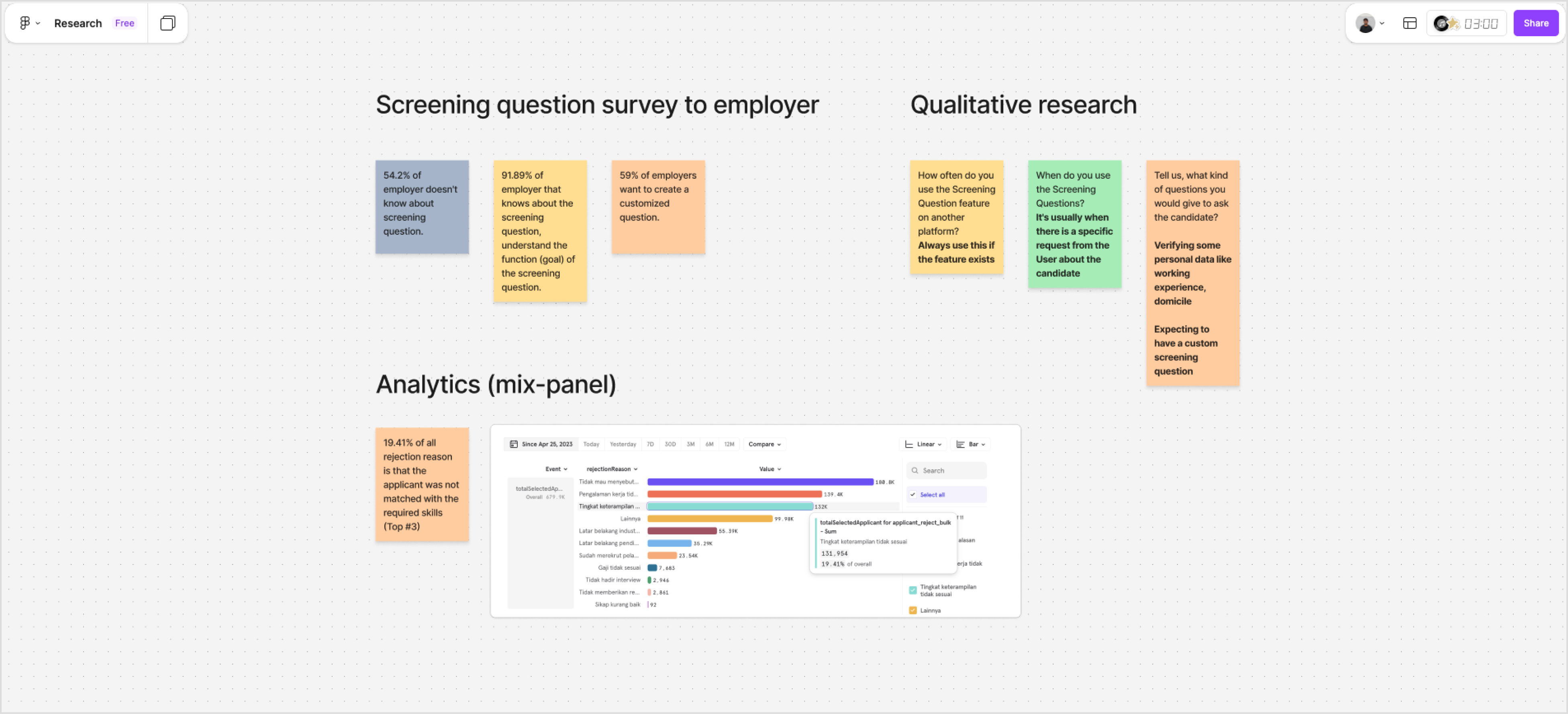
Employers feel most applicants coming from KitaLulus are not relevant with the vacancy qualification.
This perception arises because a significant portion of candidates who apply do not fully meet key criteria such as relevant work experience, specific skills, educational background, or other mandatory requirements set by the employers. As a result, recruiters often need to spend additional time filtering and reviewing applications that ultimately do not match their hiring needs, which can reduce the efficiency of the recruitment process and affect the overall satisfaction of employers using the platform.
Challenge
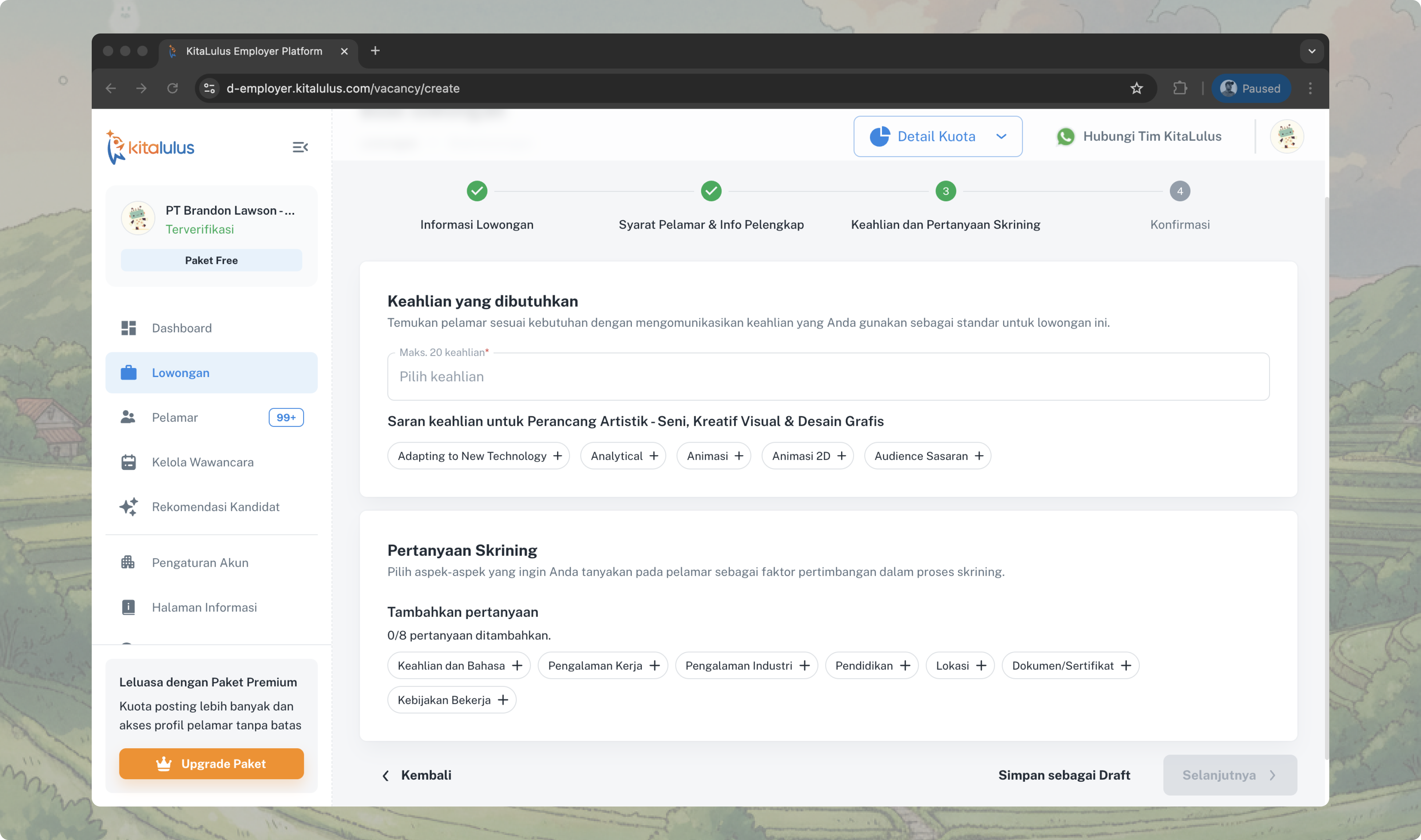
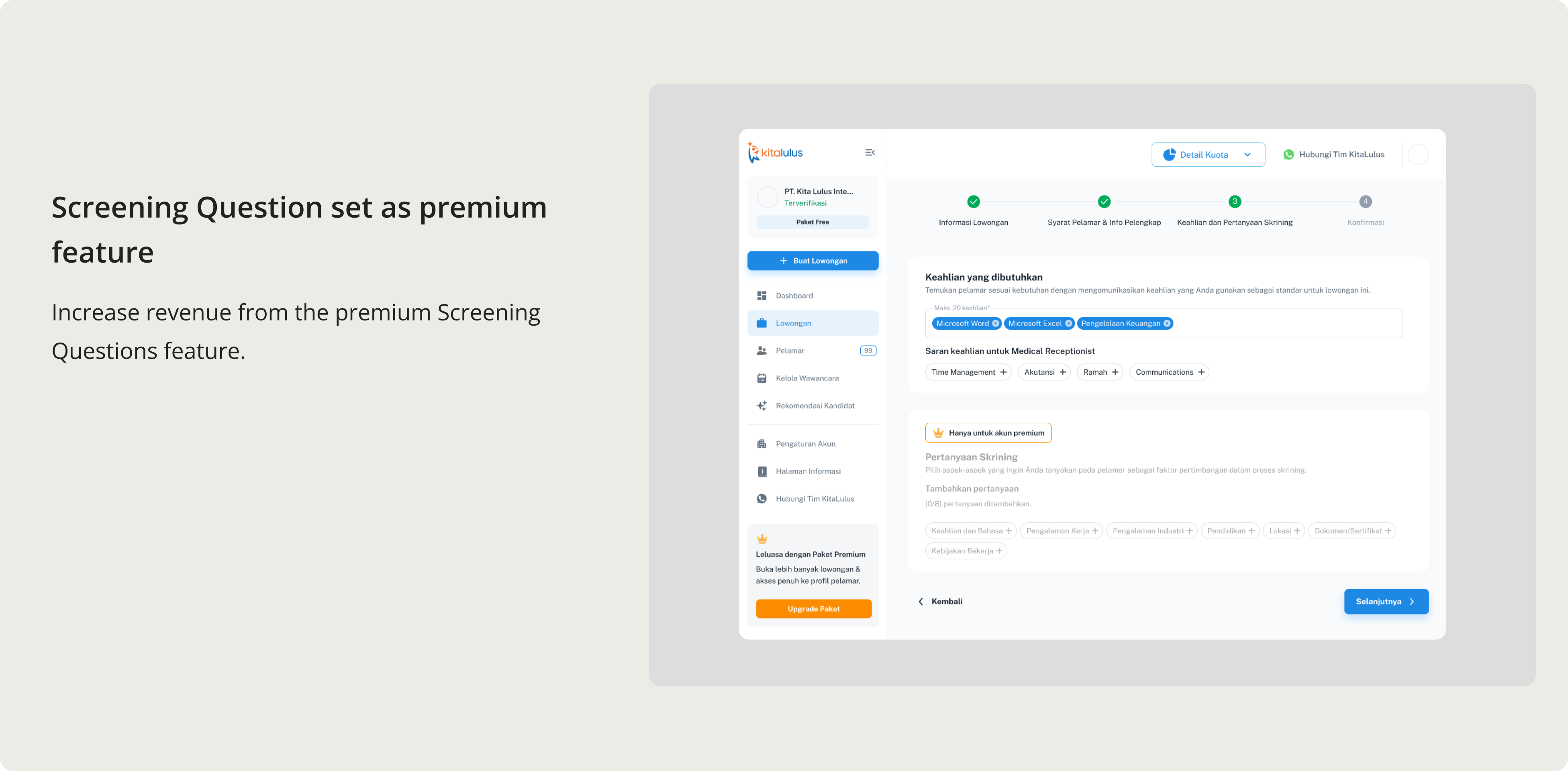
Designing the Screening Question feature was not simply about adding a new form field. The feature directly impacted candidate filtering logic, data structure, and cross-platform experience.
The core challenge was to create a scalable screening system that could improve candidate quality without increasing friction for employers during job posting.
- Several constraints made this complex:
- The filtering logic required close collaboration with the Data Team to ensure accurate candidate segmentation.
- The backend architecture was not initially designed for dynamic question configuration.
- The feature needed to work consistently across Web (Employer side) and Mobile App (Candidate side).
- There was a risk of adding too many screening questions, which could negatively impact job completion rates.
Scope & Complexity
Given these dependencies, the project required intensive cross-divisional alignment across:
- Data Team
- Engineering Team
- Mobile App Division
The implementation spanned two months and was structured into two phases:
- Phase 1: Backend preparation and data structure validation to support scalable screening configuration.
- Phase 2: Cross-platform implementation and usability validation to ensure a seamless experience for both employers and candidates.
My Role
- Conducted qualitative research to understand employer screening behavior and pain points
- Defined screening question flow and interaction logic for the web platform
- Translated business requirements into a simplified and scalable configuration experience
- Collaborated closely with Engineering to ensure feasibility within backend constraints
- Coordinated with the Mobile designer to align filtering outcomes with the candidate app experiencet
- Iterated through usability validation before phased release
Impact
Following the rollout of the Screening Question feature:
- NPS increased from 30% to 35%, indicating improved employer satisfaction with the hiring workflow
- adoption reached 57%, demonstrating strong acceptance among employers
- Processed candidate volume increased by 12%, improving overall screening efficiency
+12%
Candidates processed
+57%
Adoption
+35%
Increasing Customer Satisfaction
Research
Brainstorming & Solutions
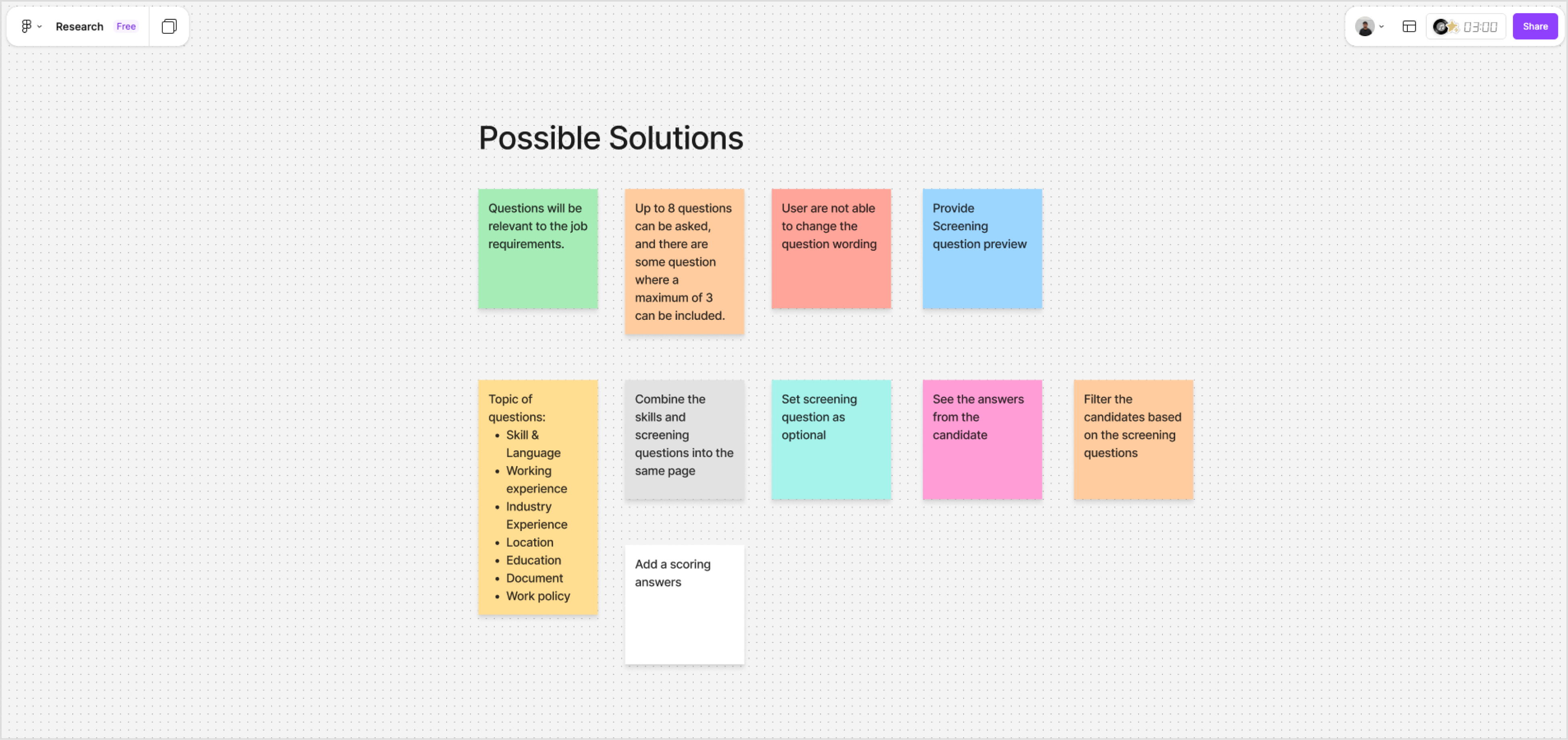
After several back-to-back alignment discussions, we evaluated the initiative from multiple perspectives — including data availability, technical feasibility, timeline constraints, and overall user experience impact.
Based on these considerations, we defined the scope of work as follows:
Implementations
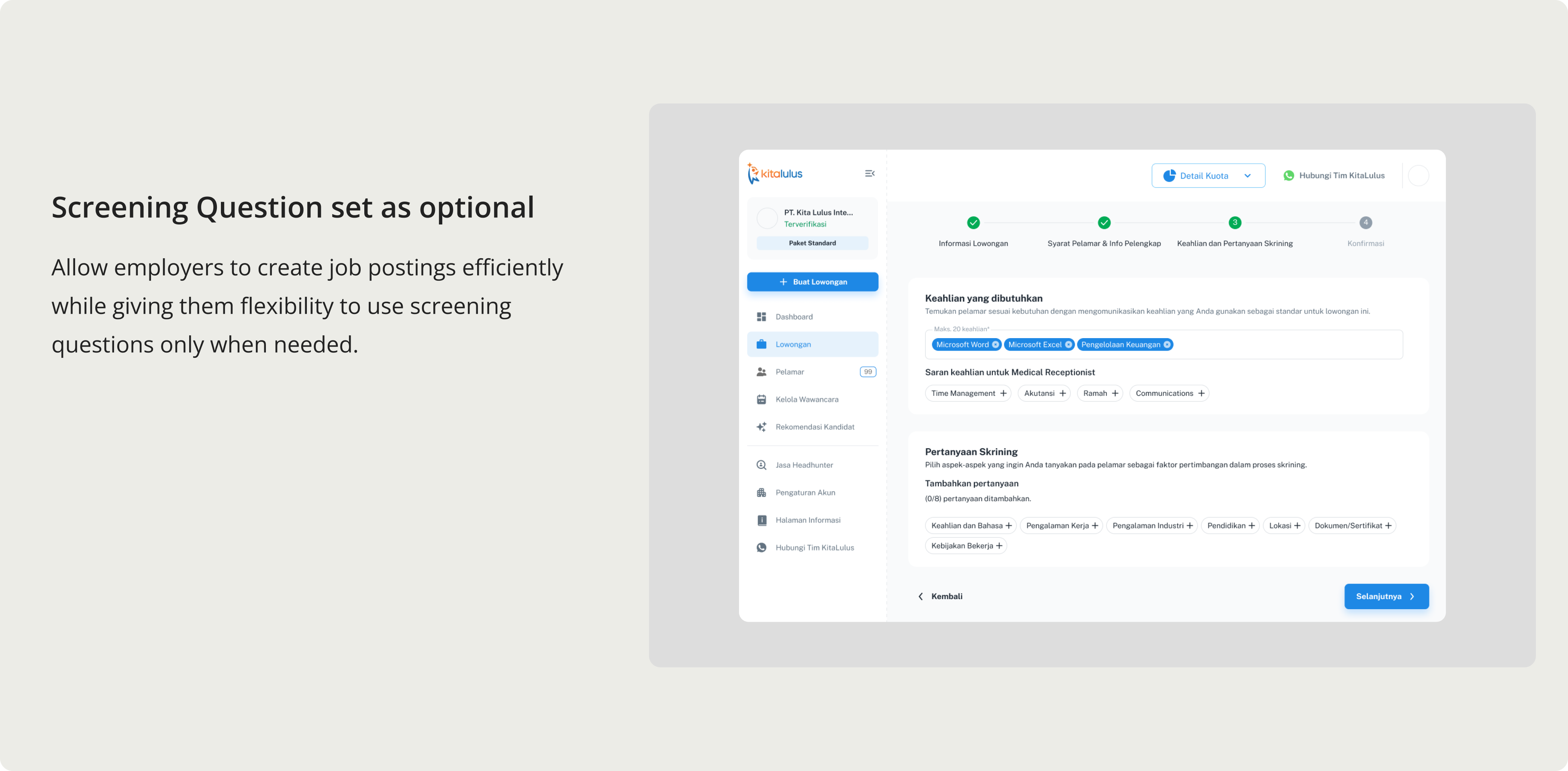
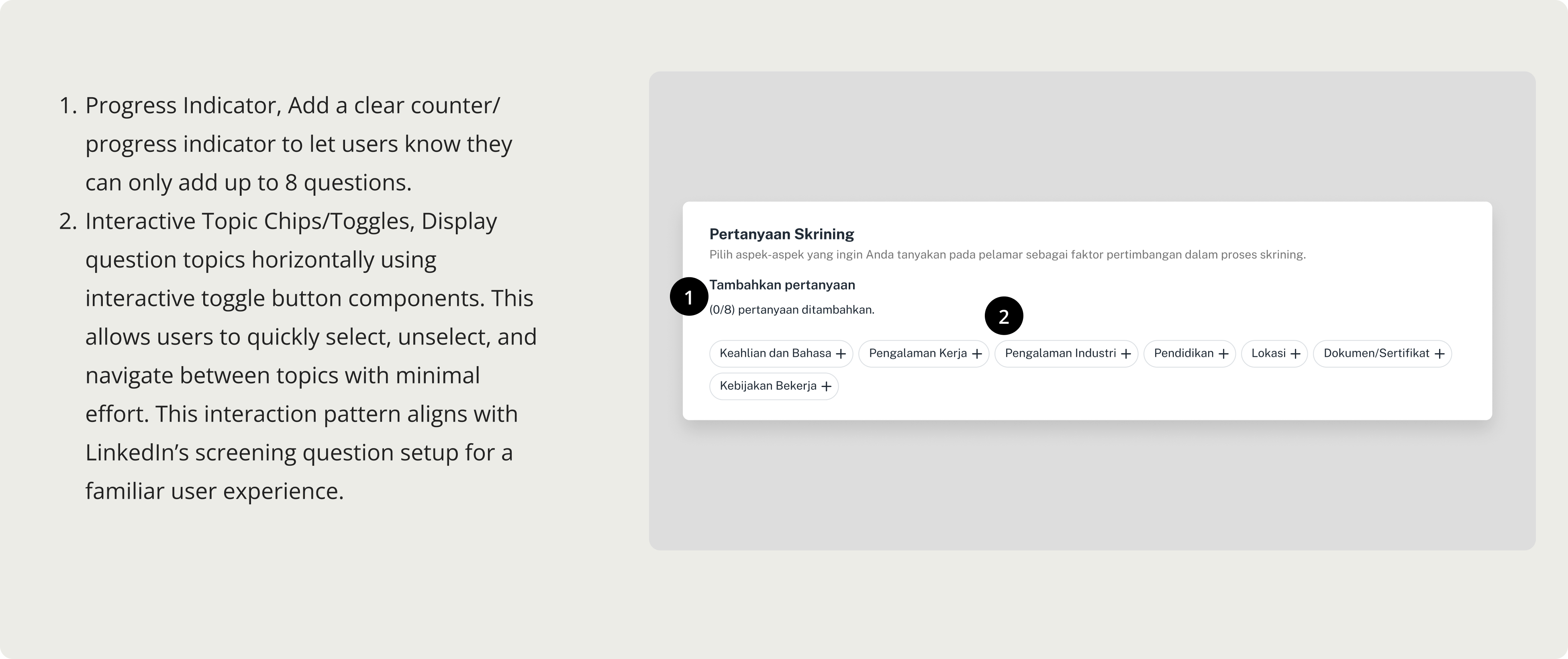
Optional Screening Configuration by Default
Not all job postings require additional screening questions. To prevent unnecessary friction during job creation, the screening feature was set as optional by default.
This approach allows employers to enable structured filtering only when needed, preserving posting efficiency while maintaining flexibility in candidate evaluation.
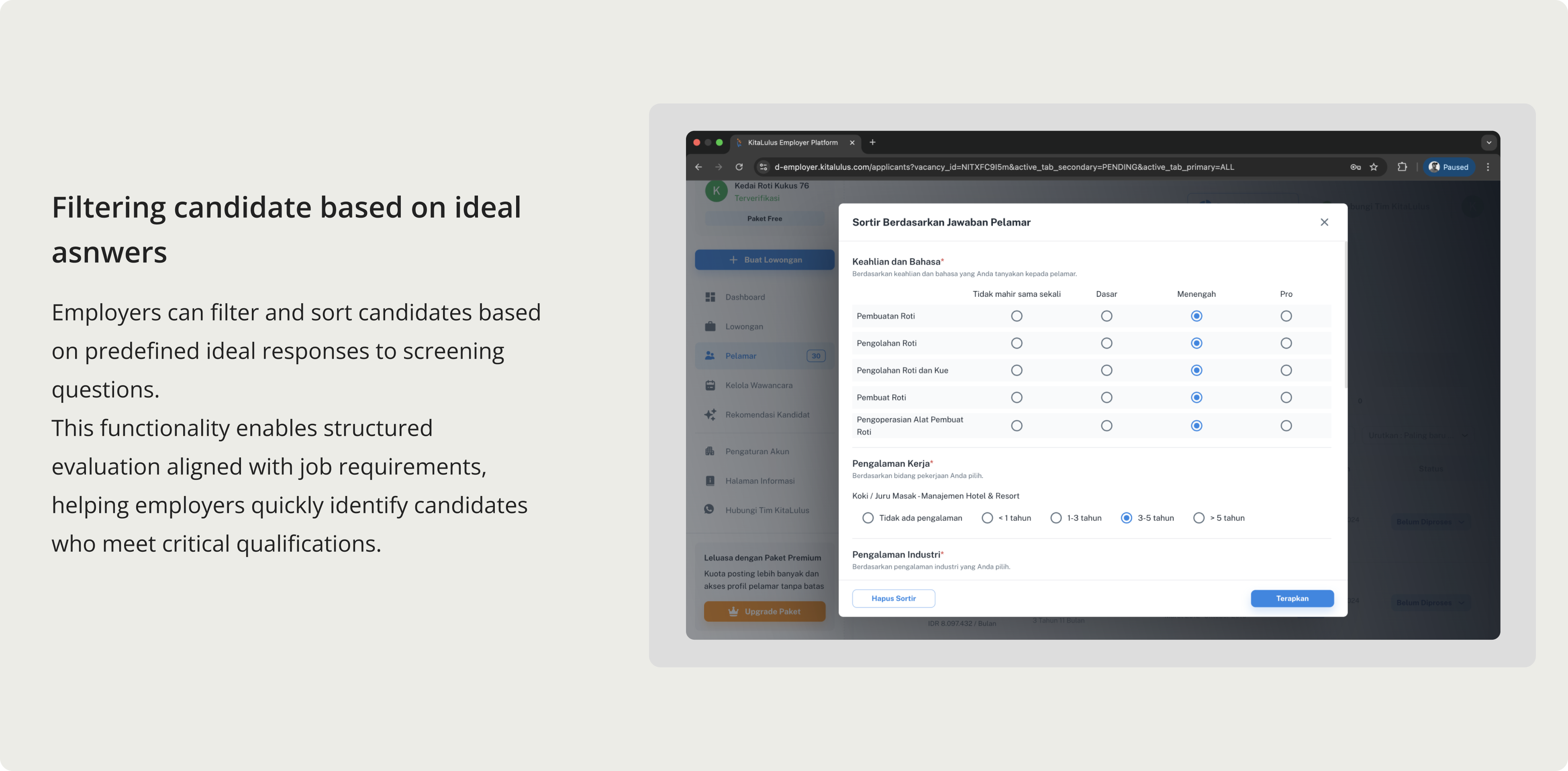
Filtering Candidates Based on Ideal Answers
Employers can filter and sort candidates based on predefined ideal responses to screening questions.
This functionality enables structured evaluation aligned with job requirements, helping employers quickly identify candidates who meet critical qualifications.
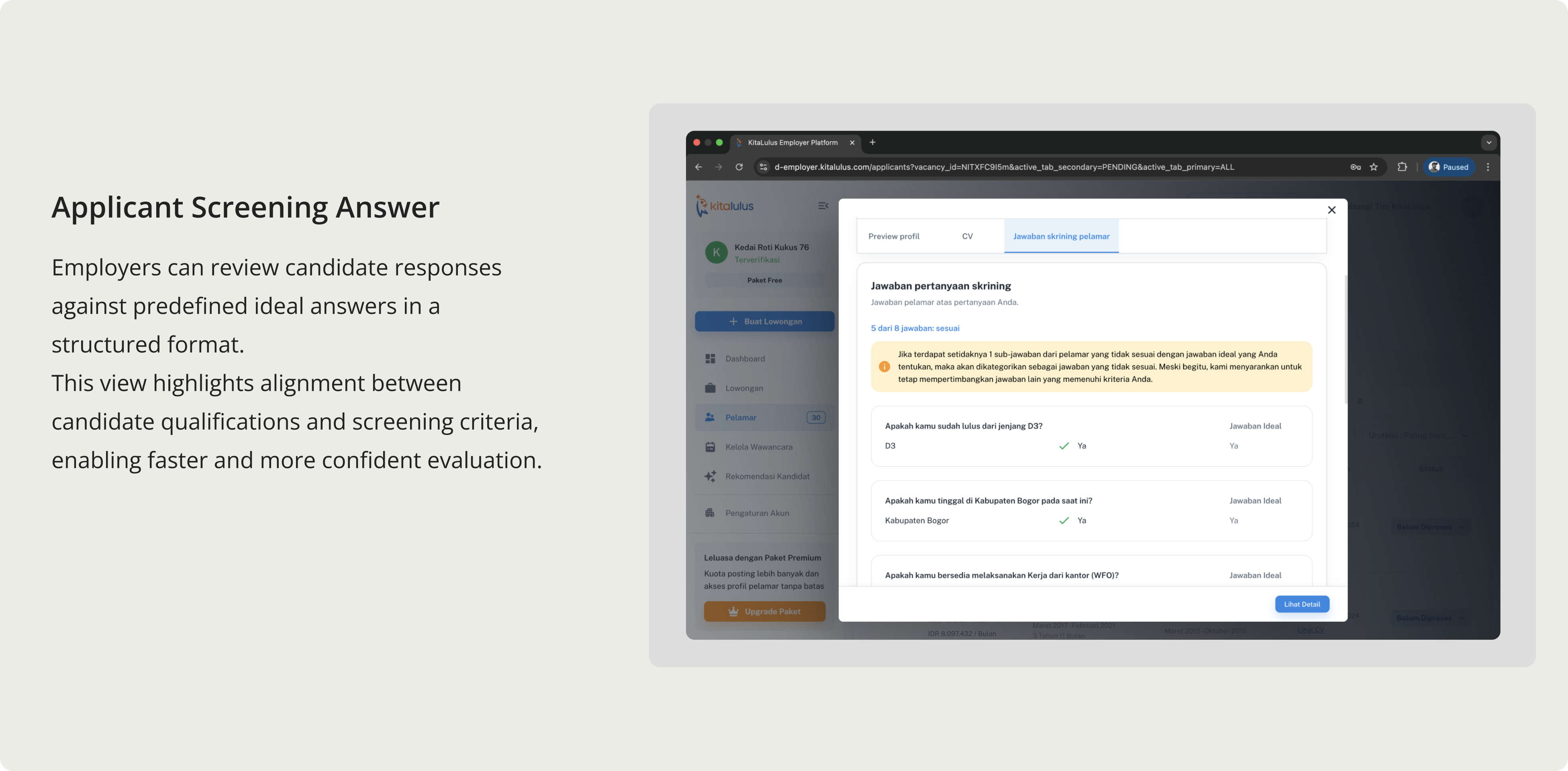
Applicant Screening Answer Overview
Employers can review candidate responses against predefined ideal answers in a structured format.
This view highlights alignment between candidate qualifications and screening criteria, enabling faster and more confident evaluation.
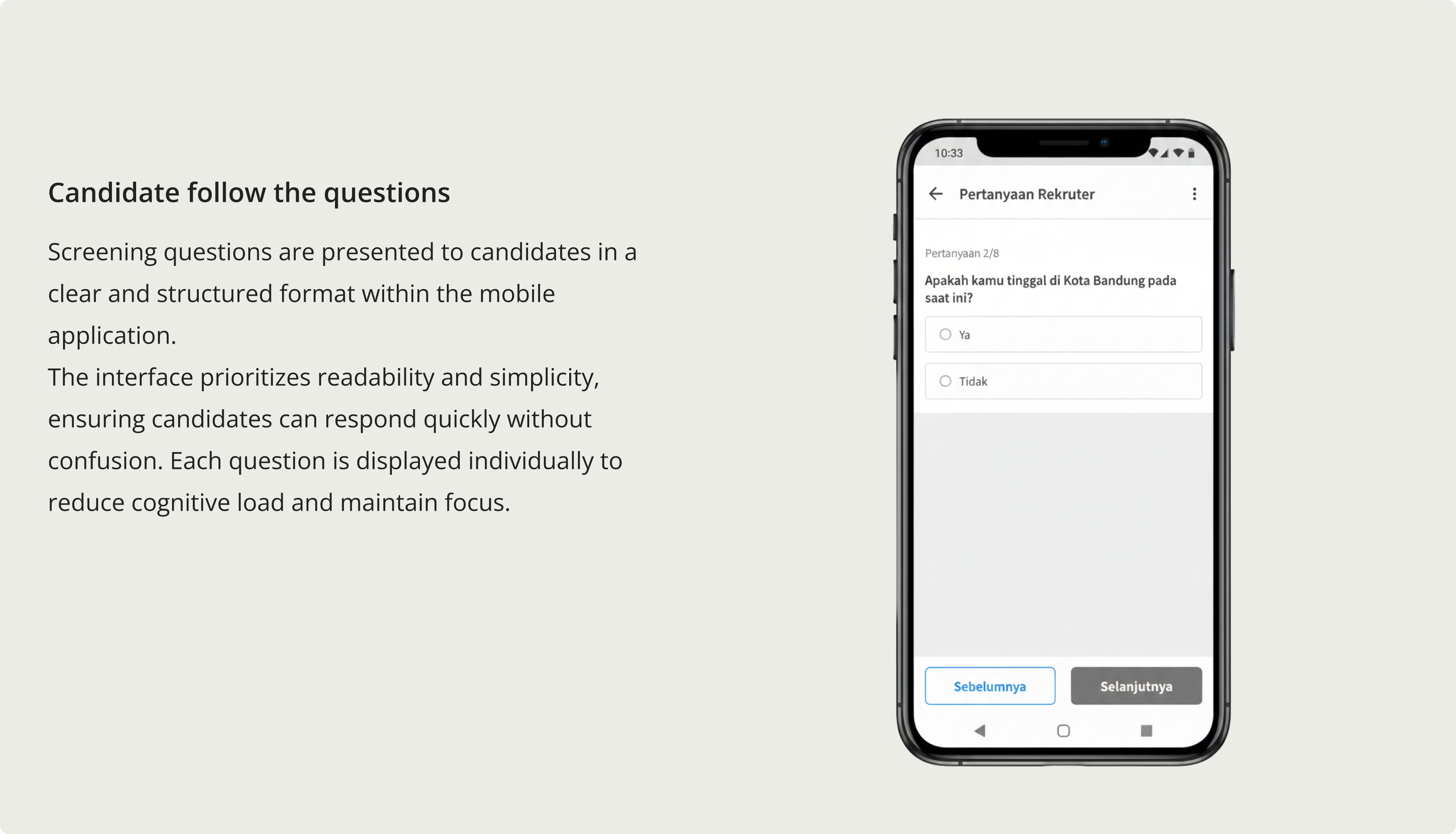
Jobseeker Screening Experience
Screening questions are presented to candidates in a clear and structured format within the mobile application.
The interface prioritizes readability and simplicity, ensuring candidates can respond quickly without confusion. Each question is displayed individually to reduce cognitive load and maintain focus.
Impact
Following the rollout of the Screening Question feature:
- NPS increased from 30% to 35%, indicating improved employer satisfaction with the hiring workflow
- adoption reached 57%, demonstrating strong acceptance among employers
- Processed candidate volume increased by 12%, improving overall screening efficiency
+12%
Candidates processed
+57%
Adoption
+35%
Increasing Customer Satisfaction
What I've Learnt & Special Thanks
- Designing screening required system-level thinking across configuration, filtering logic, and evaluation outcomes.
- Balancing employer control with friction reduction is critical to protecting job posting completion rates.
- Early alignment with Data and Engineering significantly improves scalability and reduces rework.
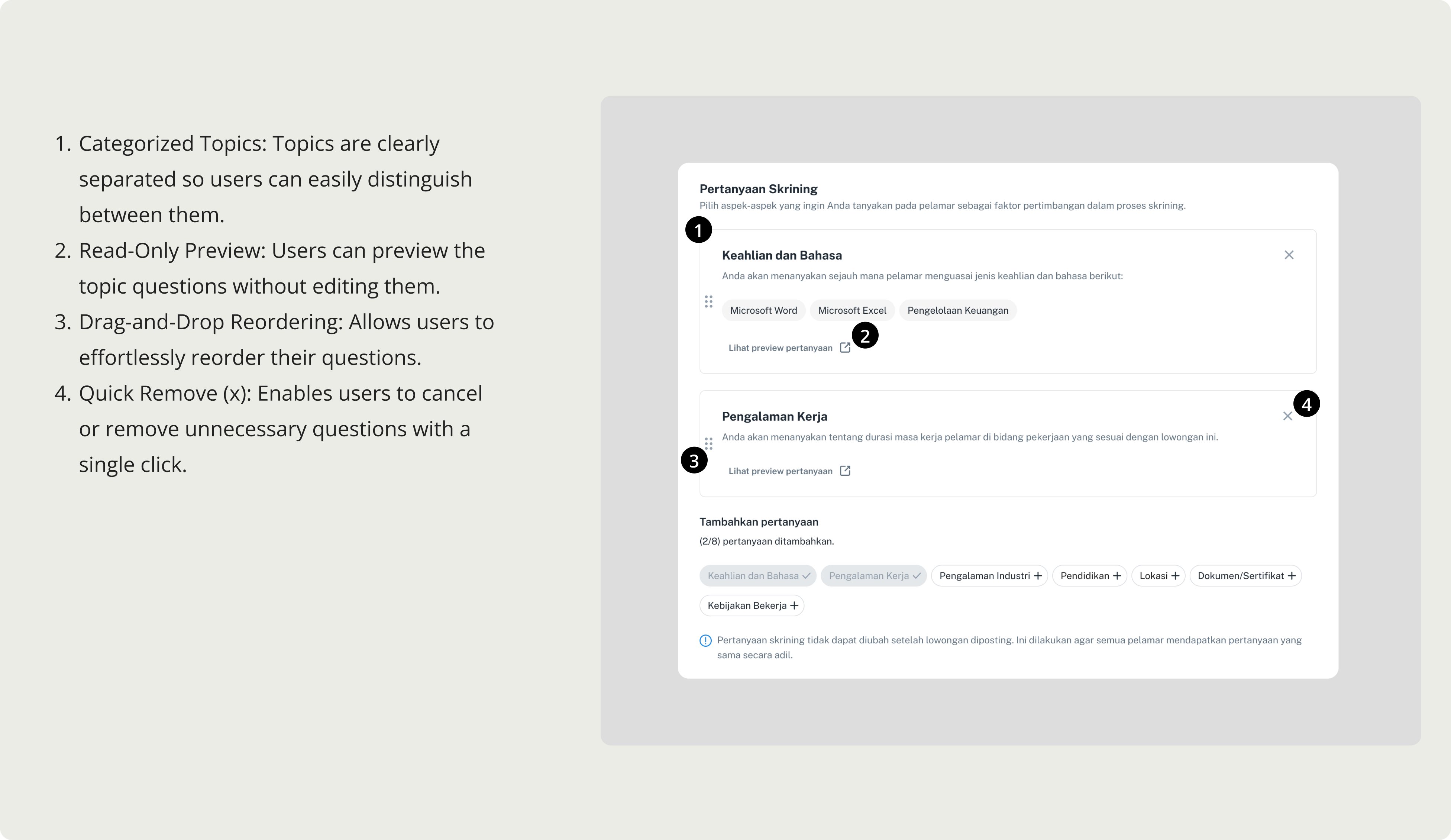
- Introducing structured constraints (e.g., question limits and predefined categories) can enhance both usability and data quality.
- A feature’s real value lies not only in setup, but in how it impacts downstream workflows and decision-making.
- Clear visibility and transparency (e.g., ideal answer comparison) increase confidence and reduce manual effort in evaluation.
- Cross-platform awareness is essential to maintain consistency between employer configuration and candidate experience.
- Special thanks to:
- Product Design Team: Tasya, Amnesti
- Product Team: Rusy, Geva
- Business Team
- Engineering Team
- Data Team
- and everyone involved in making this project possible.